

Logo

Welcome to the Releasd Knowledge Base

Explore our step-by-step user guides & learn best practice.

Sharing Reports

Navigate Within a Page

Releasd makes it easy for recipients to navigate to specific content within a Page.

Last updated on 23 Jan, 2026

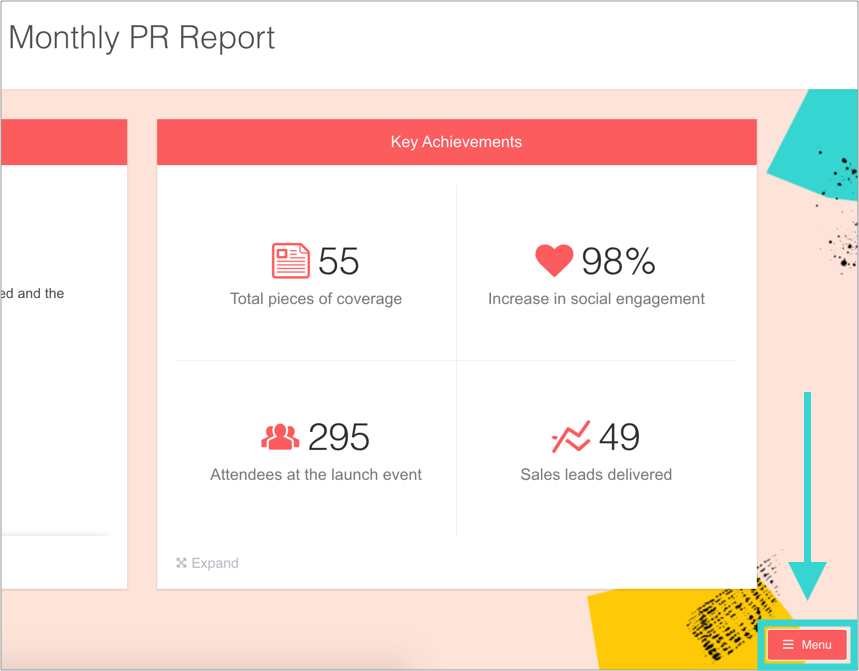
When recipients open a report, they will see a Menu icon. 
 

Image


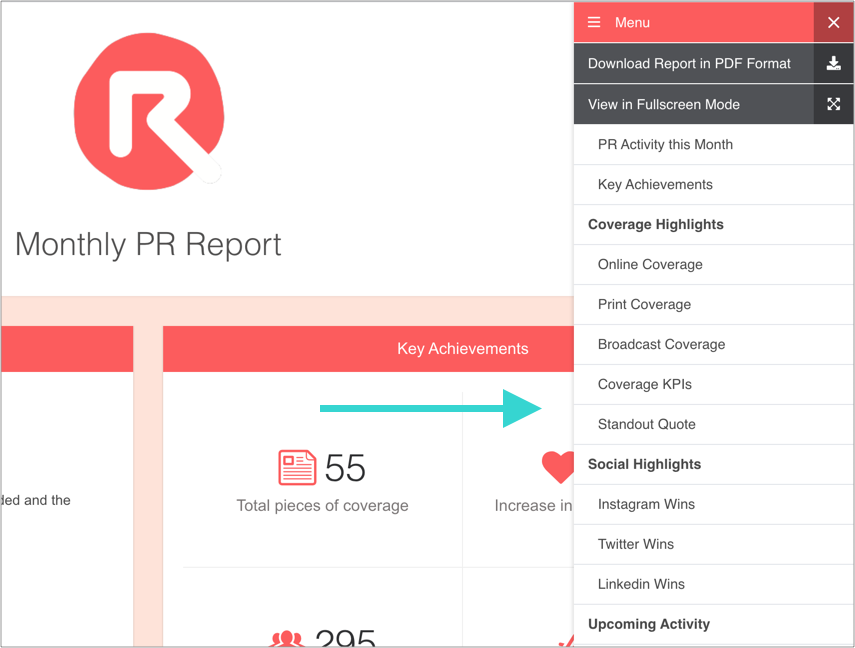
Clicking the icon will enable them to navigate to any part of the report.
 

Image


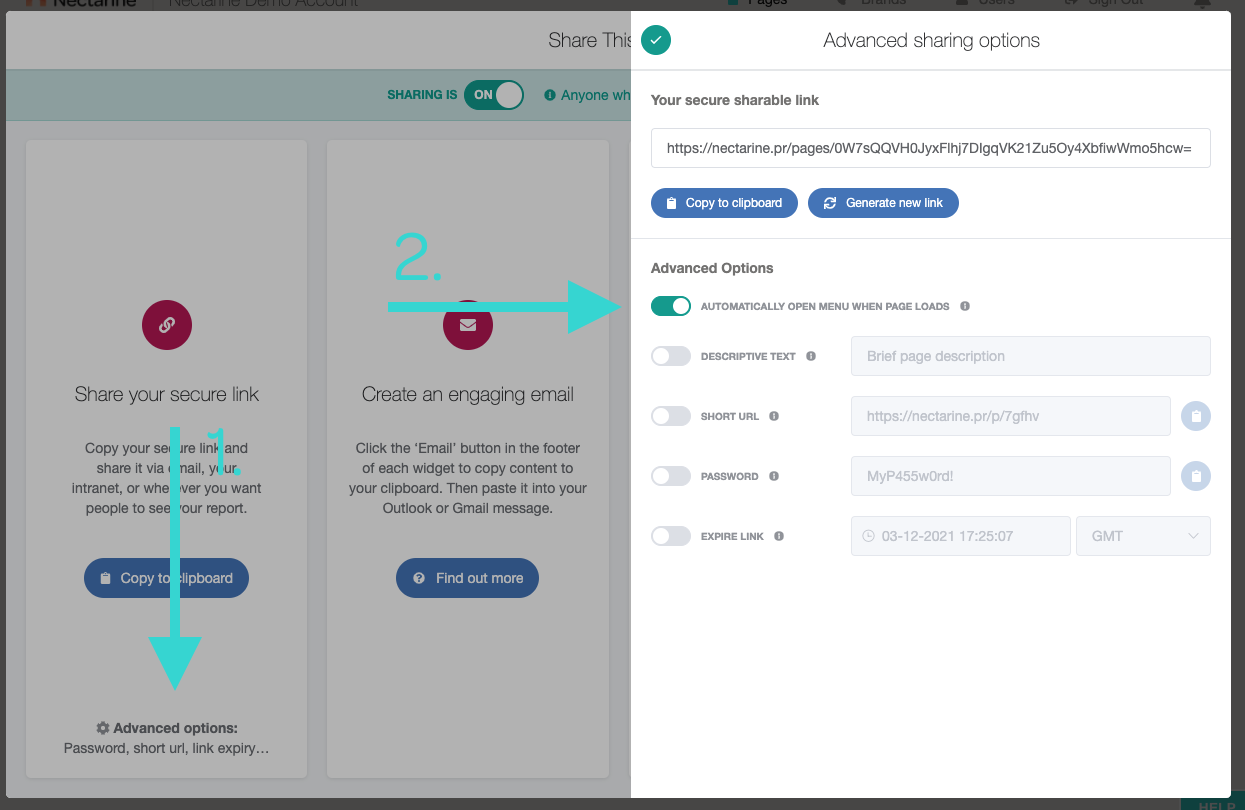
The Menu can be set to be open when the page is loaded. Go to the Share popup, click Advanced Options and select 'Automatically open menu when page loads'.
 

Image
Did you find this article helpful?
Previous

Export Metrics to an Excel Data Spreadsheet

Next