

Logo

Welcome to the Releasd Knowledge Base

Explore our step-by-step user guides & learn best practice.

How do I Change or Reset my Password?

FAQ

How do I Change or Reset my Password?

For users who've misplaced their details or need to change them for security reasons.

Last updated on 23 Jan, 2026

If you've forgotten your password or need to reset it, follow the process below.

Note: we don't have access to passwords - they're encrypted for security reasons.


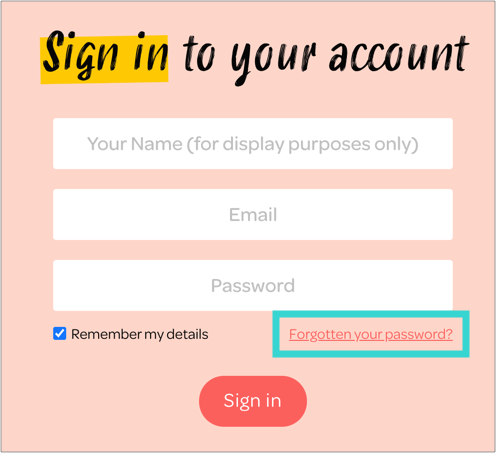
1. Go to releasd.com/signin

2. Click 'Forgotten your password'

Then you'll be sent a link to reset your password.
 

Image
Did you find this article helpful?
Previous

How Do I Manage My Subscription, Billing Or Invoices?

Next