

PR teams may wish to keep their Control Panel clean by removing - but not deleting - old reports.
This article explains how the archive function works.
Note: archived reports are still visible to viewers.
How to archive reports
Select the report(s) you wish to archive
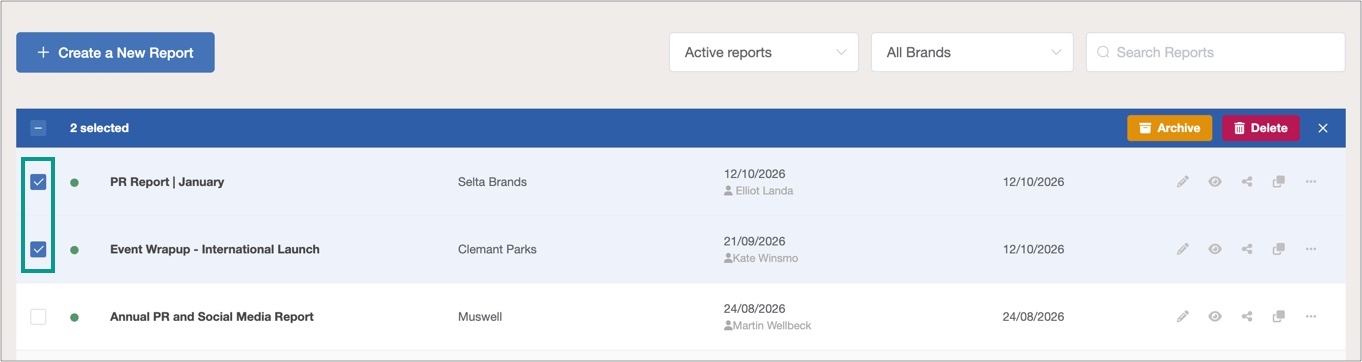
In the Control Panel, go to the Reports tab and select one or more reports.
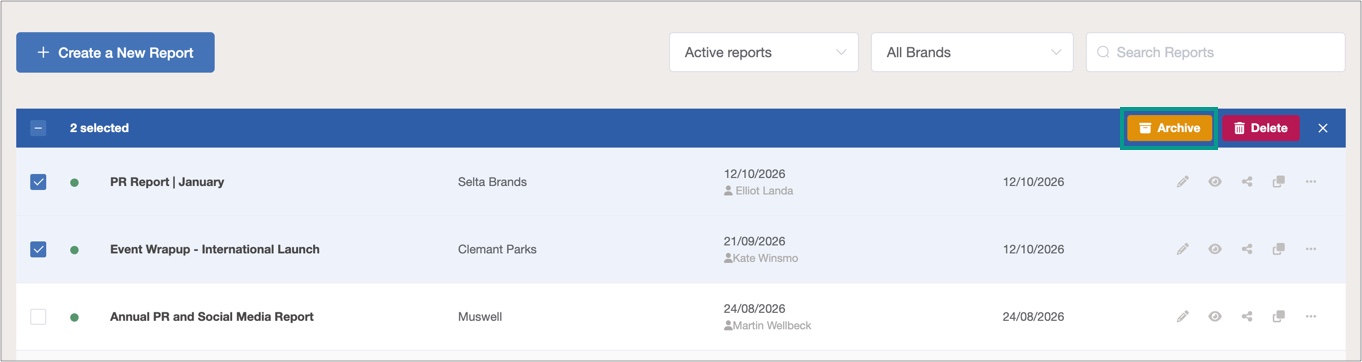
Select 'Archive' in the header
Click the Archive button that now appears.
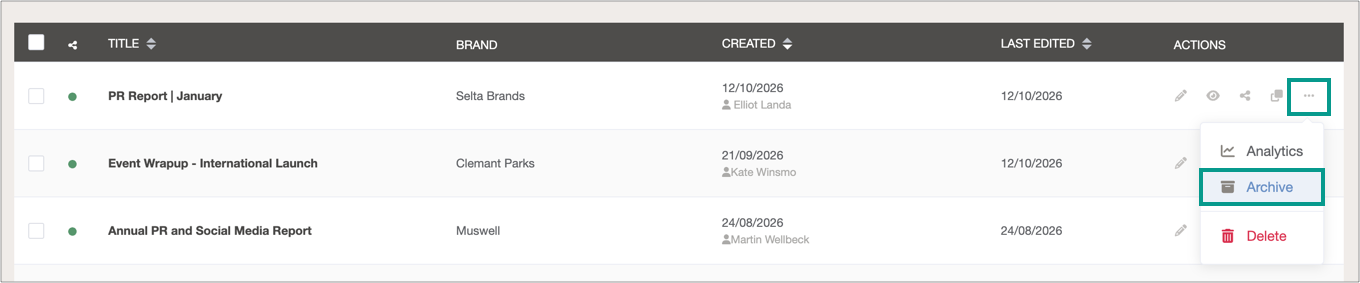
Alternatively, click three dots next to the report in question and then select Archive:
How to unarchive reports
Select Archived reports from the dropdown in the Reports screen.
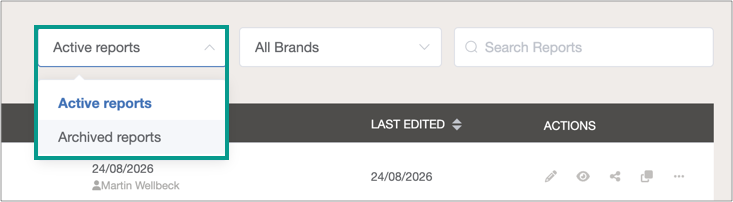
Select report(s) and then Restore.
